
Process documents with ease. Streamline your workflows.

Retarus Intelligent Document Processing (IDP) makes it easier for you to process incoming business documents. The solution automates manual tasks, freeing up more time for the tasks that require your expertise. Here, you’ll find everything you need to know to get started.
Get to Know Retarus IDP
What is it like to work with Retarus IDP? When is your support needed? And how do you keep track of everything?
Our short introductory video gives you an overview of how to use the application. Get familiar with the document overview and learn how to review exceptions and edit them as needed.
Document Processing in 4 Steps
With Retarus IDP, your business documents are processed largely automatically. Most steps take place in the background—without requiring any action on your part.
1.
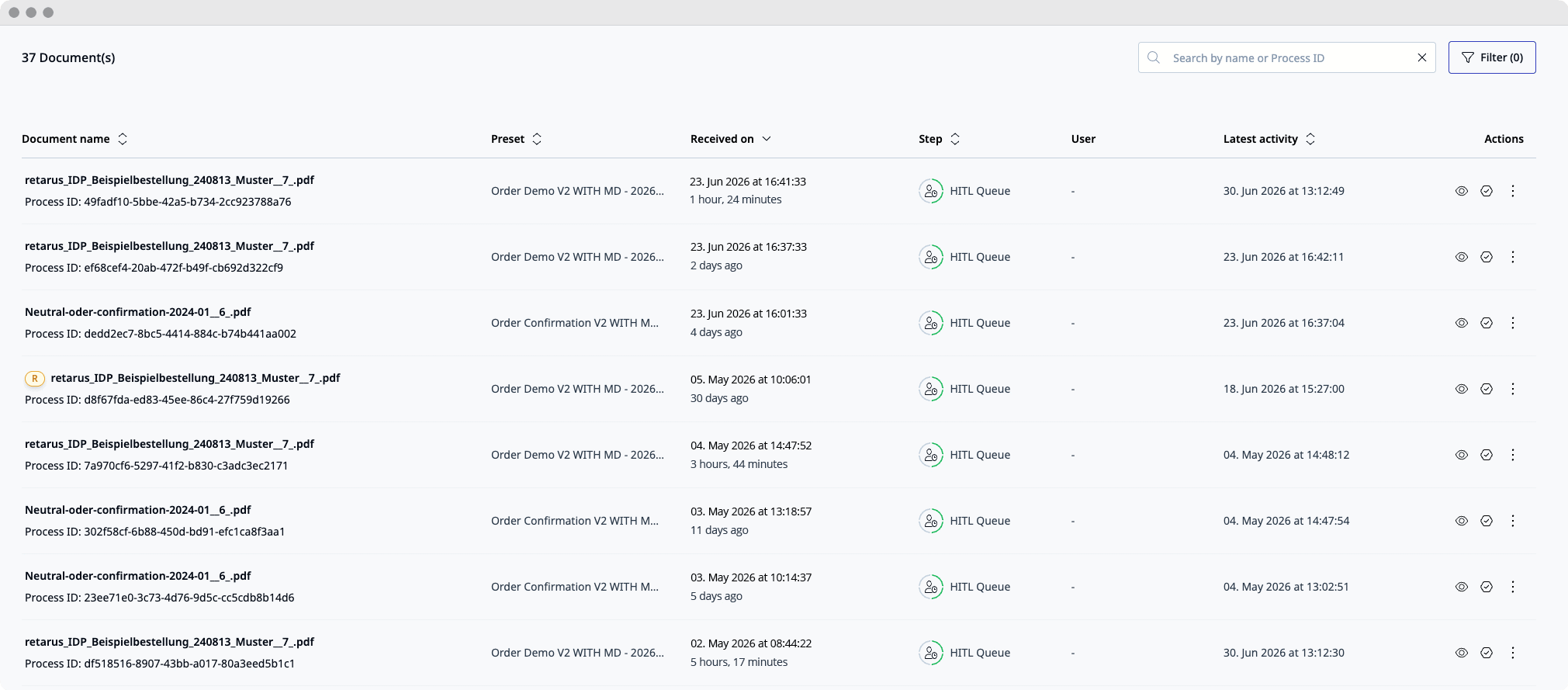
Documents are received
You will receive a business document, such as a purchase order, order confirmation, invoice, or delivery slip. Simply forward it via email to the designated IDP address.
Be sure to use only the document types and file formats specified for your process. This ensures that your documents can be processed according to the established rules.
2.
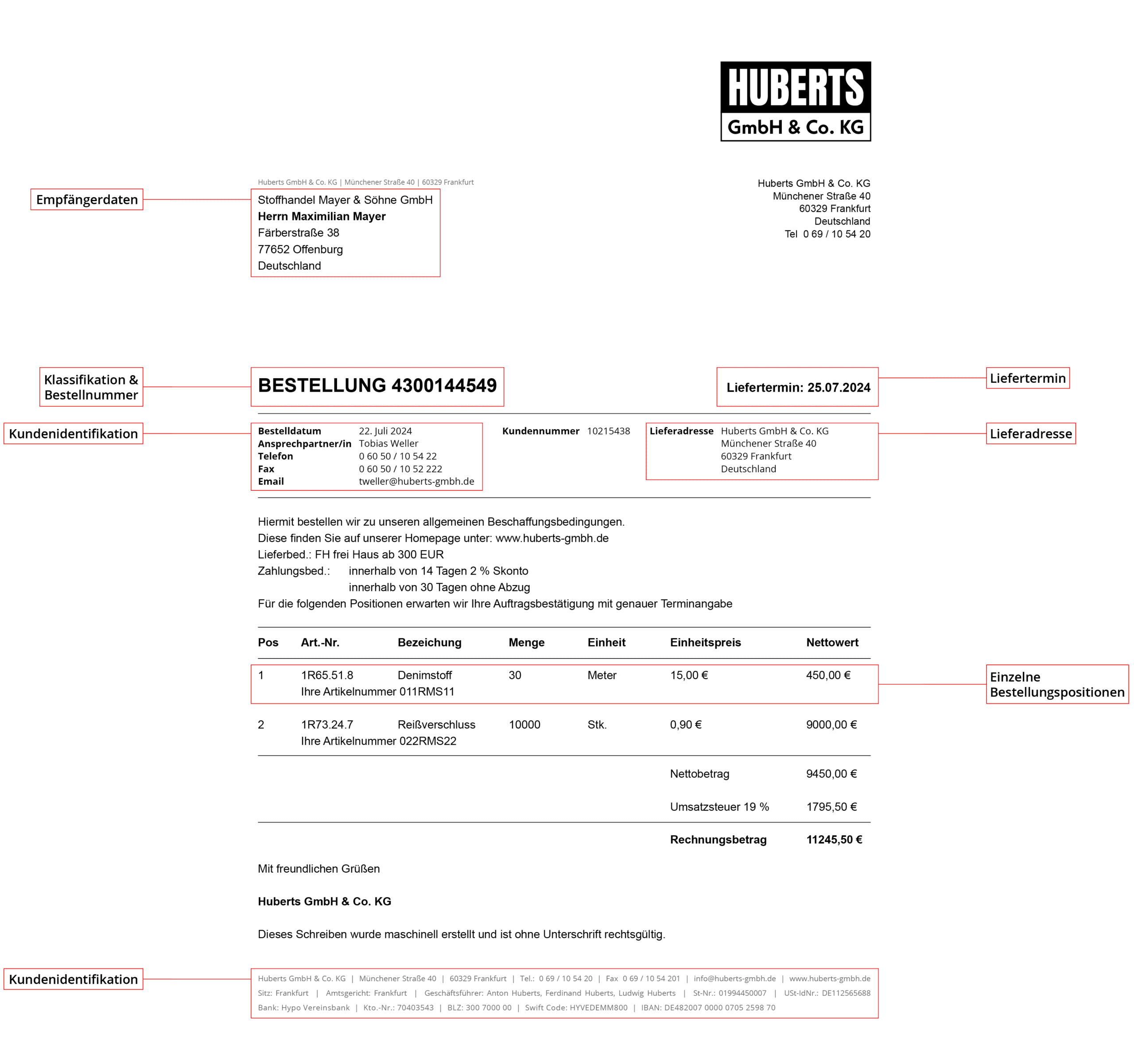
IDP handles the processing
Retarus IDP analyzes the incoming document, extracts relevant information, and checks it against stored rules and data.
The information is then organized and made available for further processing. If everything goes smoothly, you don't need to do anything else.
3.
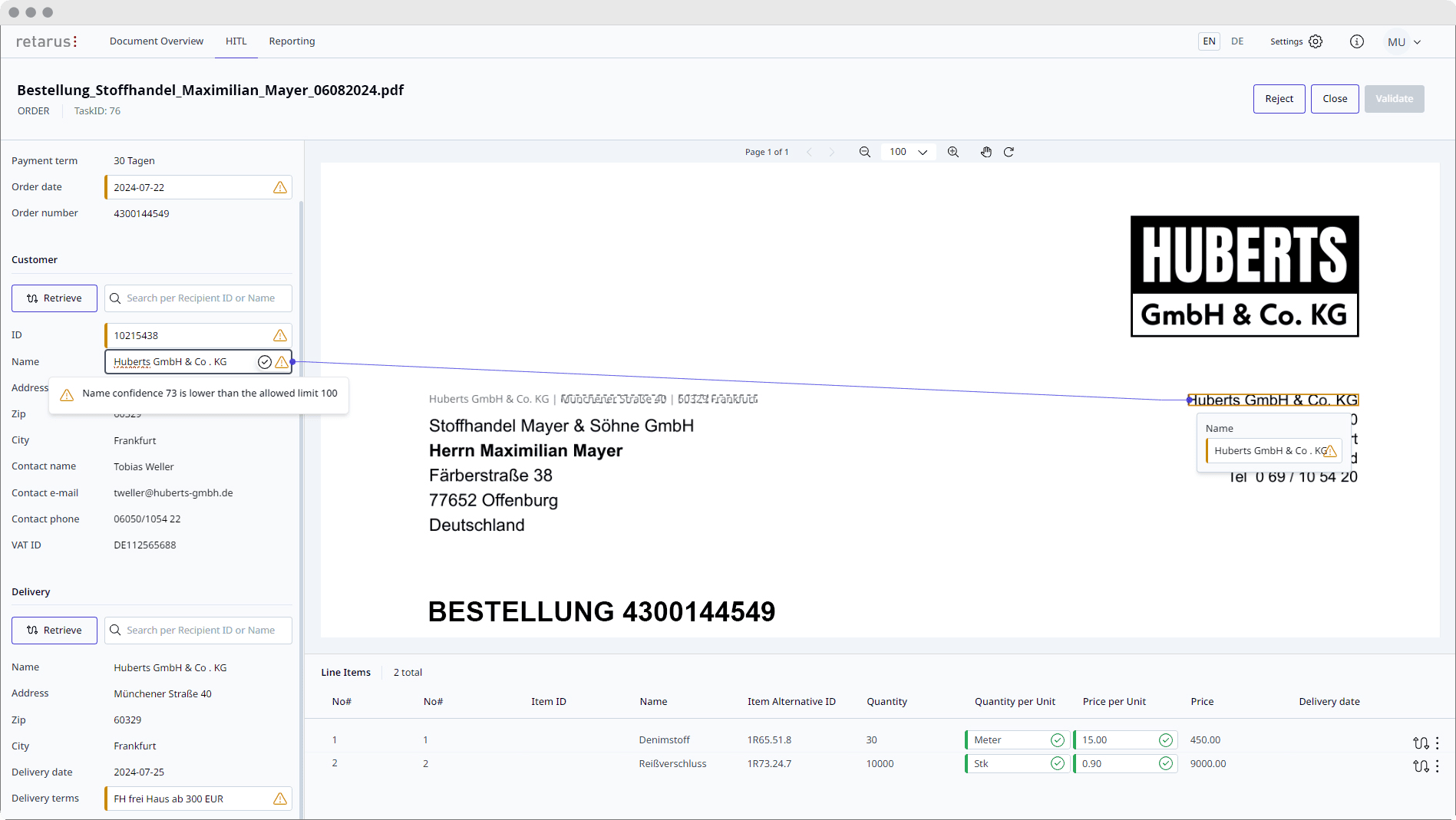
Handle Exceptions in a Targeted Manner
Not every document can be processed entirely automatically. If Retarus IDP cannot unambiguously identify certain pieces of information or if an additional check is required, you step in.
Using the Human-in-the-Loop (HITL) interface, you can compare the relevant information directly with the original document and correct it if necessary.
4.
Share Data Automatically
Once processing is complete, the structured data is transmitted to the designated target system.
Retarus IDP handles the routine work, allowing you to focus on the cases that require your expertise.

Keep Track of Your Documents at All Times
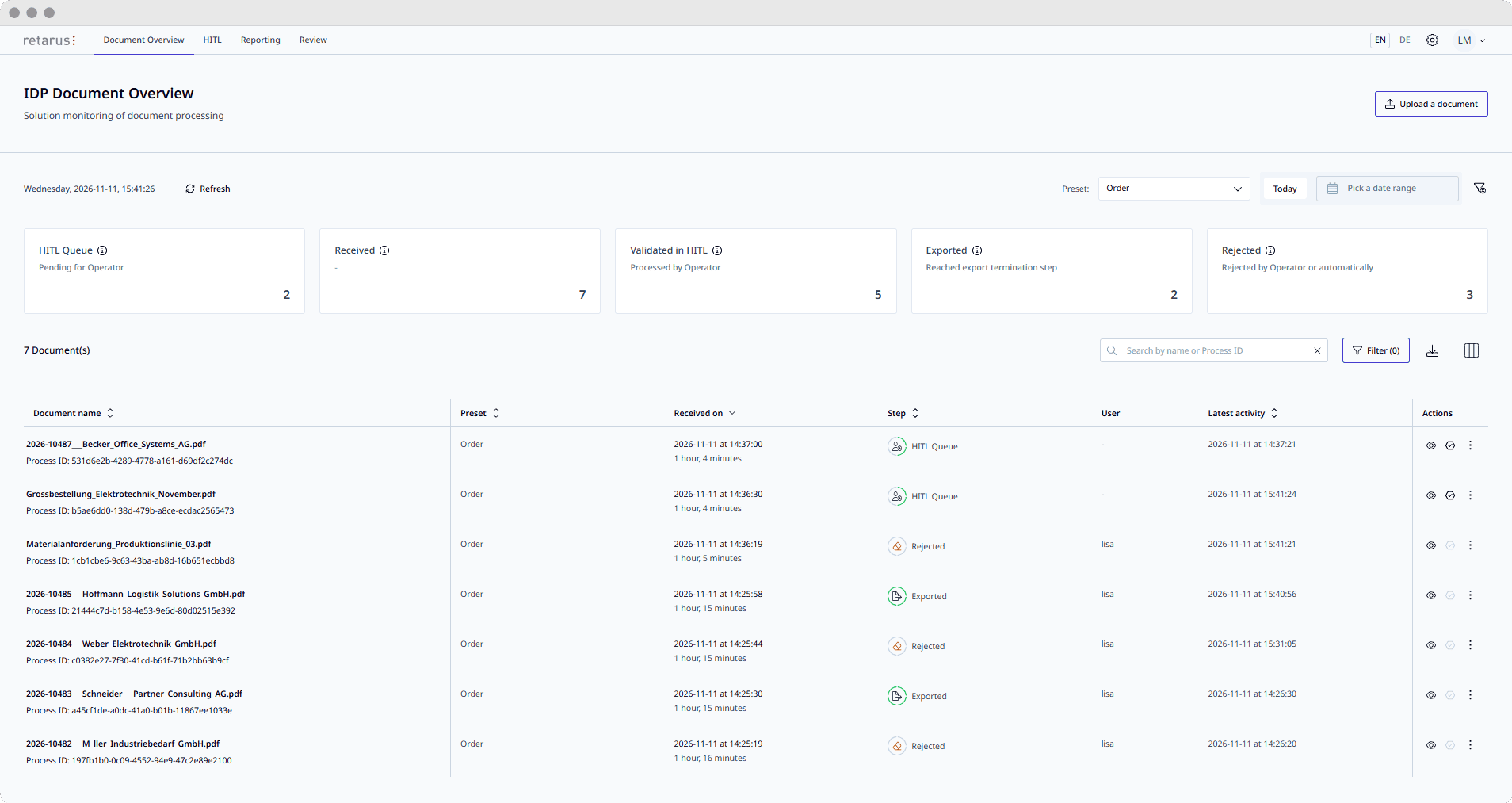
In the central document overview, you can see which documents have been received, how far along their processing is, and where your assistance is still needed.
With the search function and handy filters, you can quickly find individual documents and narrow down the displayed transactions as needed.
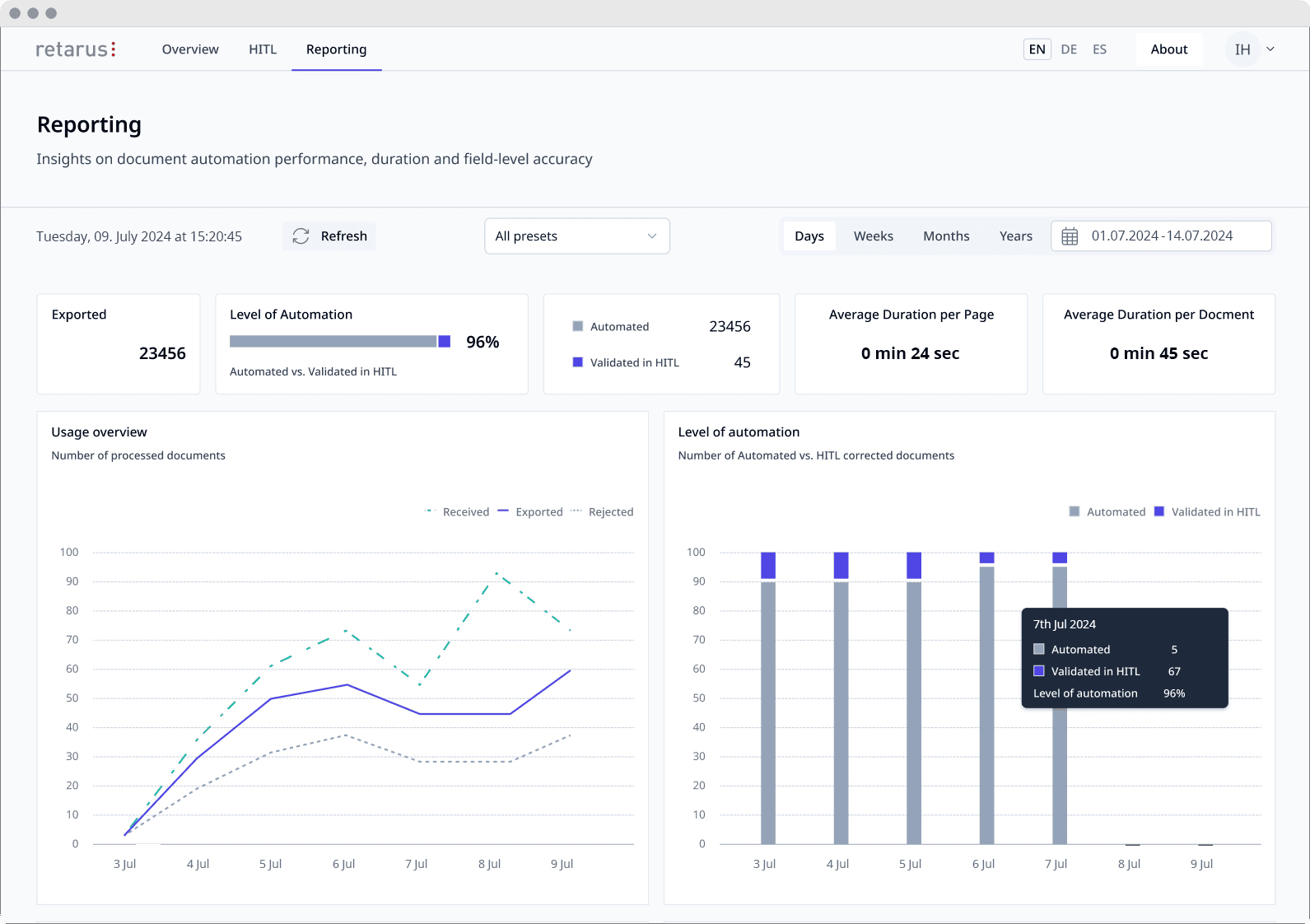
Reporting: Knowing What’s Going On
How many documents have been processed? How is the volume of documents changing? And how efficiently are your processes running?
Retarus IDP’s reporting features provide you with key metrics on document processing. This allows you to track trends, detect anomalies, and identify opportunities for optimization.
Your Benefits at a Glance
-
Less Manual Work
Retarus IDP handles the capture and processing of incoming documents. This reduces manual data entry and lightens your daily workload.
-
More Time for Important Tasks
Less routine work means more time for tasks where you can put your experience and expertise to use.
-
Higher Data Quality
The retrieved information is automatically checked against defined rules. This allows discrepancies to be identified early and corrected in a targeted manner.
-
Greater Control Over Exceptions
If the data is unclear, you can review the extracted information and correct it as needed. This allows you to apply your subject matter expertise specifically to the document processing.
-
Greater Transparency in the Process
In the central document overview, you can view the processing status of your cases and quickly determine whether and where action is still needed.
Frequently Asked Questions
What types of documents can I process with Retarus IDP?
Retarus IDP processes various business documents, such as purchase orders, order confirmations, invoices, and delivery notes. The types of documents and file formats you can use depend on the processes set up in your company.
How do I submit documents to Retarus IDP?
Simply forward the relevant document via email to the designated IDP email address. Make sure the document type and file format comply with your company's guidelines. IDP will then automatically handle the rest of the process.
What happens if a document cannot be processed automatically?
If IDP is unable to clearly identify certain information or if additional verification is required, you can review the relevant data via the Human-in-the-Loop (HITL) interface. There, you can compare the extracted information with the original document and correct it as needed. Processing can then continue.
Where can I see if my documents have already been processed?
In the central document overview, you can view the current processing status of your documents. Using the search and filter functions, you can locate specific processes and determine whether further processing is required.
Who can I contact if I have questions about using IDP?
If you have any questions regarding document transmission, the handling of exceptions, or the use of Retarus IDP, please contact your designated representative or the appropriate support team at your company.
Shaping Change Together
You’ll receive the support you need: Targeted training and hands-on introductions will help you learn the most important features and use them with confidence.
Change takes time. Take this opportunity to provide feedback and familiarize yourself with IDP step by step.
Our goal is to provide you with the best possible support as you get started, so that you can successfully use Retarus IDP in your day-to-day work.

Do you still have questions?
Whether it’s for document submission, handling exceptions, or using the application: If you have any questions, please contact your designated representative or the appropriate support team.
We wish you a successful start with Retarus IDP!