
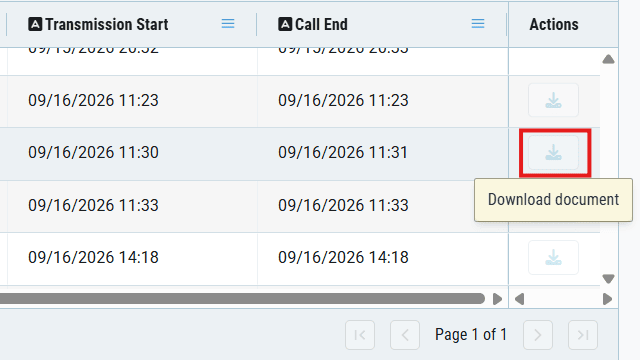

Retarus customers can now access fax documents through a redesigned Fax Archive in the myEAS portal. The new archive UI makes it easier to find the fax you need and work with the document itself. Instead of searching through a plain list of files, users can use the reporting interface to narrow down the relevant fax and open or download its document.
Find the fax document you need
When a customer asks for a copy of a fax or a team needs to retrieve a document, transmission status alone is not enough. Users need a practical way to identify the right fax among many records and access the document attached to it.
The new Fax Archive brings document access into the familiar myEAS reporting context. Users can search and filter fax activity using the available reporting criteria, then move from a matching record to the fax document. The redesigned interface makes that process clearer for both users and administrators.
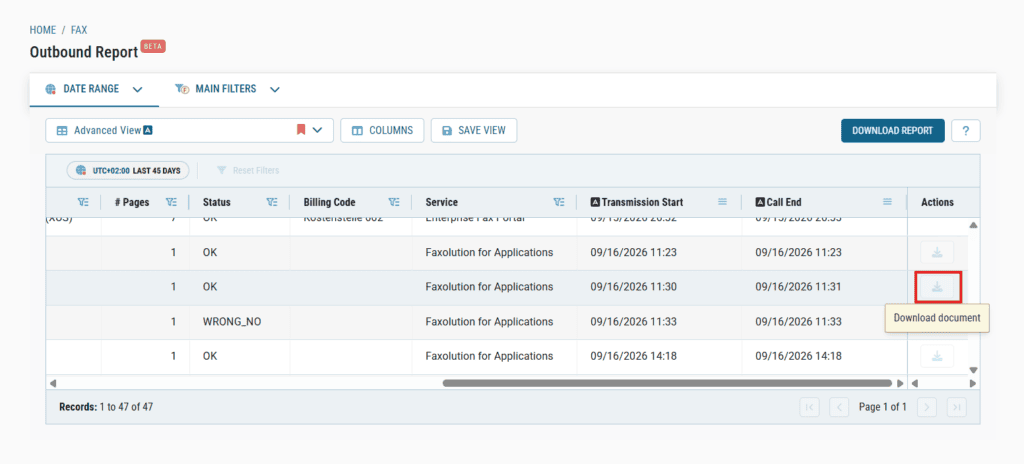
With the new myEAS Fax Archive, users can
- search and filter fax activity to locate a specific document
- access the fax documents associated with inbound and outbound transmissions
- download individual fax documents when they need a copy
The next step in the evolution of myEAS
The new Fax Archive is part of Retarus’ continued investment in myEAS as the central portal for managing Retarus services. Bringing document retrieval into the reporting context helps users move from finding a transmission to working with the fax itself.
Development of the Fax Archive will continue over the coming weeks and months. Planned enhancements include the ability to resend a fax directly from the archive.
The new myEAS Fax Archive is available now. Existing customers can continue to access the previous archive as the new experience evolves. Log in to myEAS to explore the new archive and let us know how the experience works for you. To share feedback or ask about upcoming capabilities, contact your Retarus representative.


Submit a comment