


New analytics, rule-based document assignment, enhanced search capabilities, and a clearer way to manage manual validations: the latest updates to Retarus Intelligent Document Processing (IDP) make everyday document handling easier. Teams gain greater transparency, reduce manual effort, and can manage pending tasks more efficiently.
Measure Automation Performance from Two Perspectives
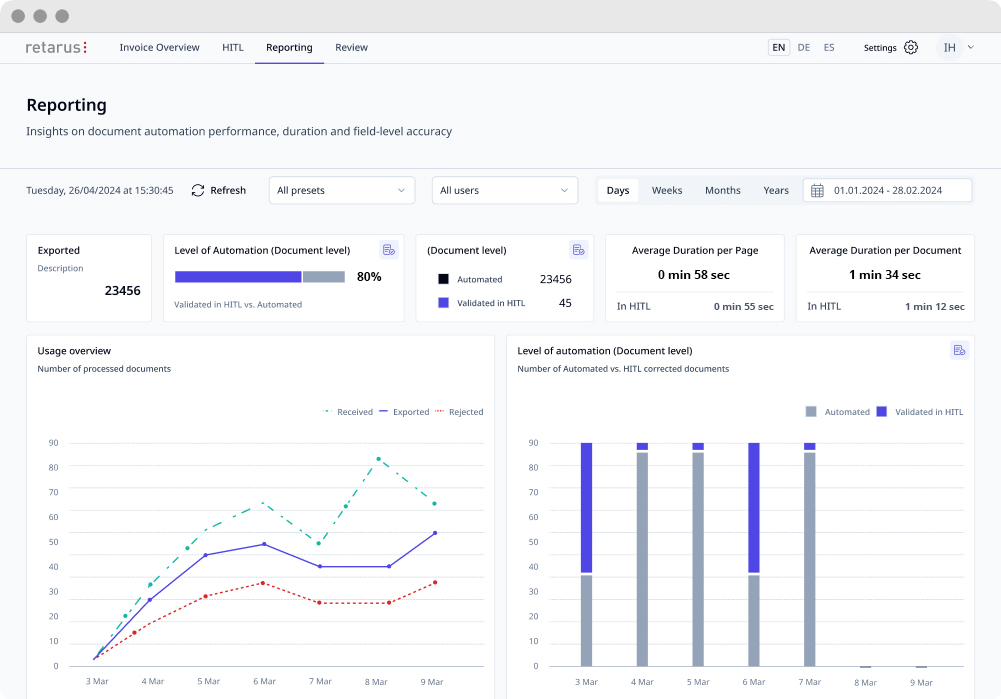
The KPI reporting in Retarus IDP now measures automation performance from two perspectives: field level and document level.
Field-level reporting shows the percentage of individual data fields processed automatically, while document-level reporting reveals the percentage of complete documents that pass through the workflow without requiring manual validation.
This gives operational teams detailed insights for process optimization, while management can evaluate overall automation performance at the document level and include these metrics in executive reporting.
Benefits
- Measure automation performance at both field and document level
- Identify operational optimization opportunities more quickly
- Gain meaningful KPIs for management reporting and process control
Assign Documents to the Right Users
Long document lists can make it difficult for users to identify their outstanding tasks quickly. In addition, not every user needs access to every document.
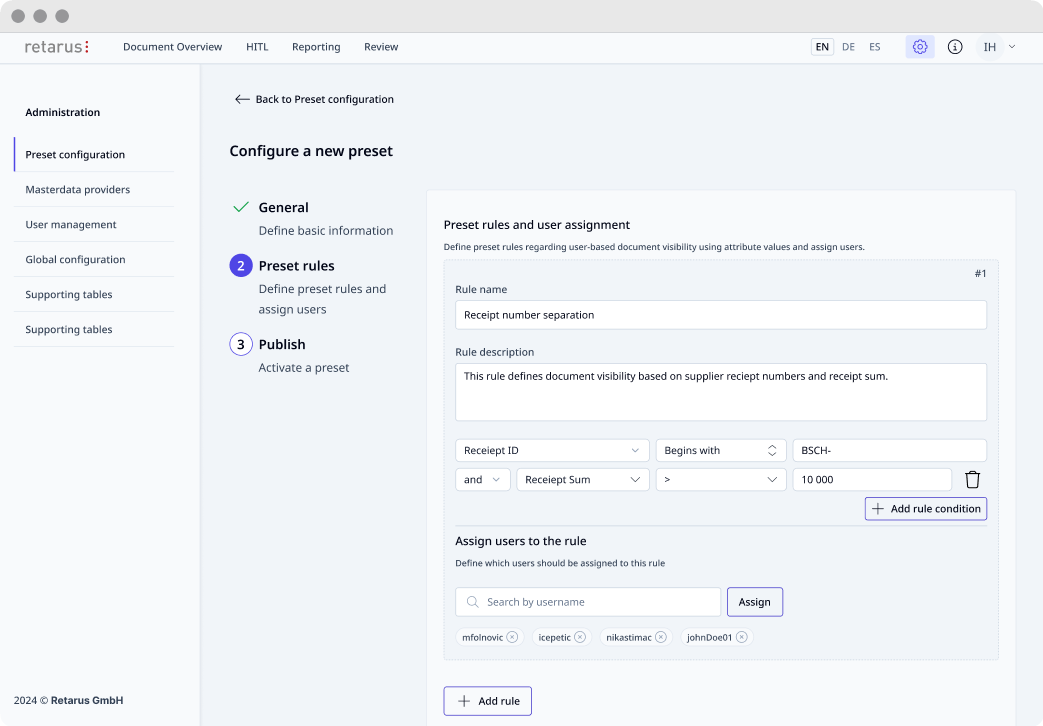
With the new user-based document assignment in Retarus IDP, organizations can define exactly which documents each user is allowed to view and process. This enables consistent management of responsibilities and access rights, even across large teams and complex organizational structures.
Benefits
- Faster overview of pending tasks
- Less manual searching and filtering
- Clearer ownership and responsibilities
- Scalable permission management
Find Documents Faster
How much time is lost each day simply because a specific document cannot be found immediately?
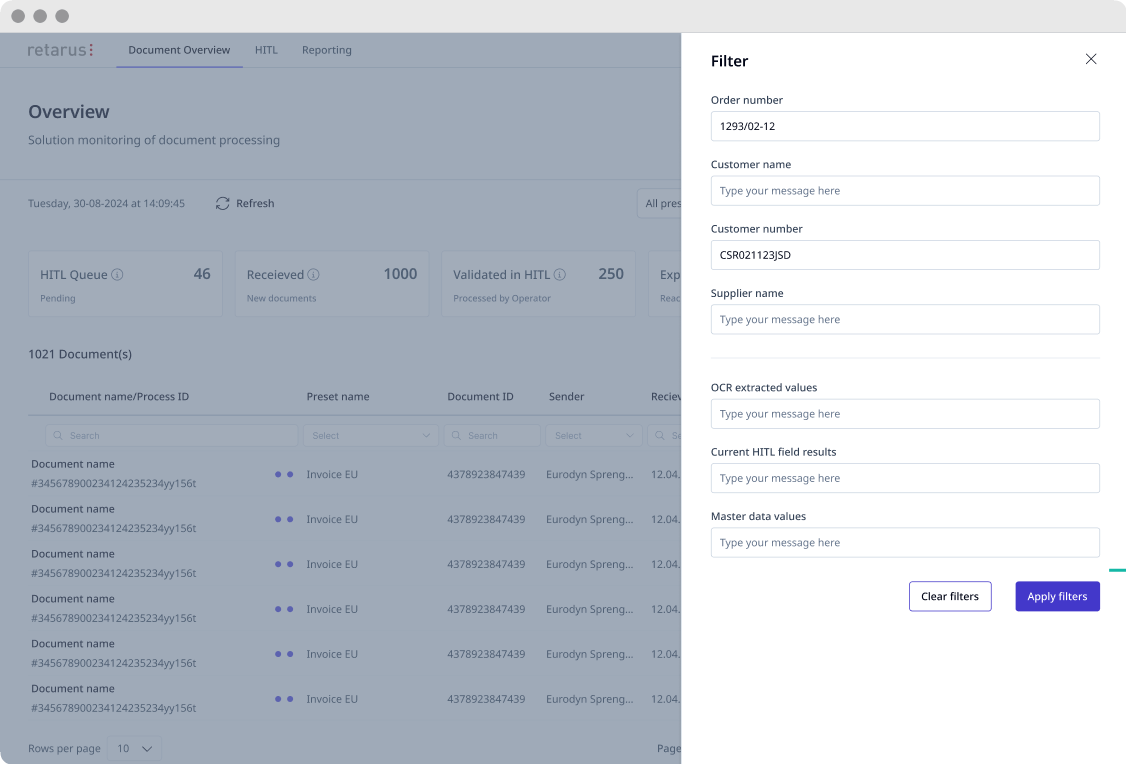
In day-to-day business, users typically know details such as the customer name, order number, or supplier—but not necessarily technical document names or process IDs.
This is exactly where the enhanced document search in Retarus IDP comes in. Documents can now be searched using business-related information. Search criteria can include values from master data, OCR extraction, and manually validated information. The search covers both completed documents and those that are still undergoing validation.
Benefits
- Reduced search effort
- Faster responses to inquiries
- Search using familiar business information
- Find documents regardless of their current processing status
- Fewer interruptions during collaboration
Optimize Human-in-the-Loop Validation
Even highly automated document processes occasionally require manual validation—for example, when exceptions occur or documents are particularly complex. To make handling these cases even more efficient, Retarus IDP now provides additional capabilities to support the Human-in-the-Loop process.
Make Waiting Times Visible
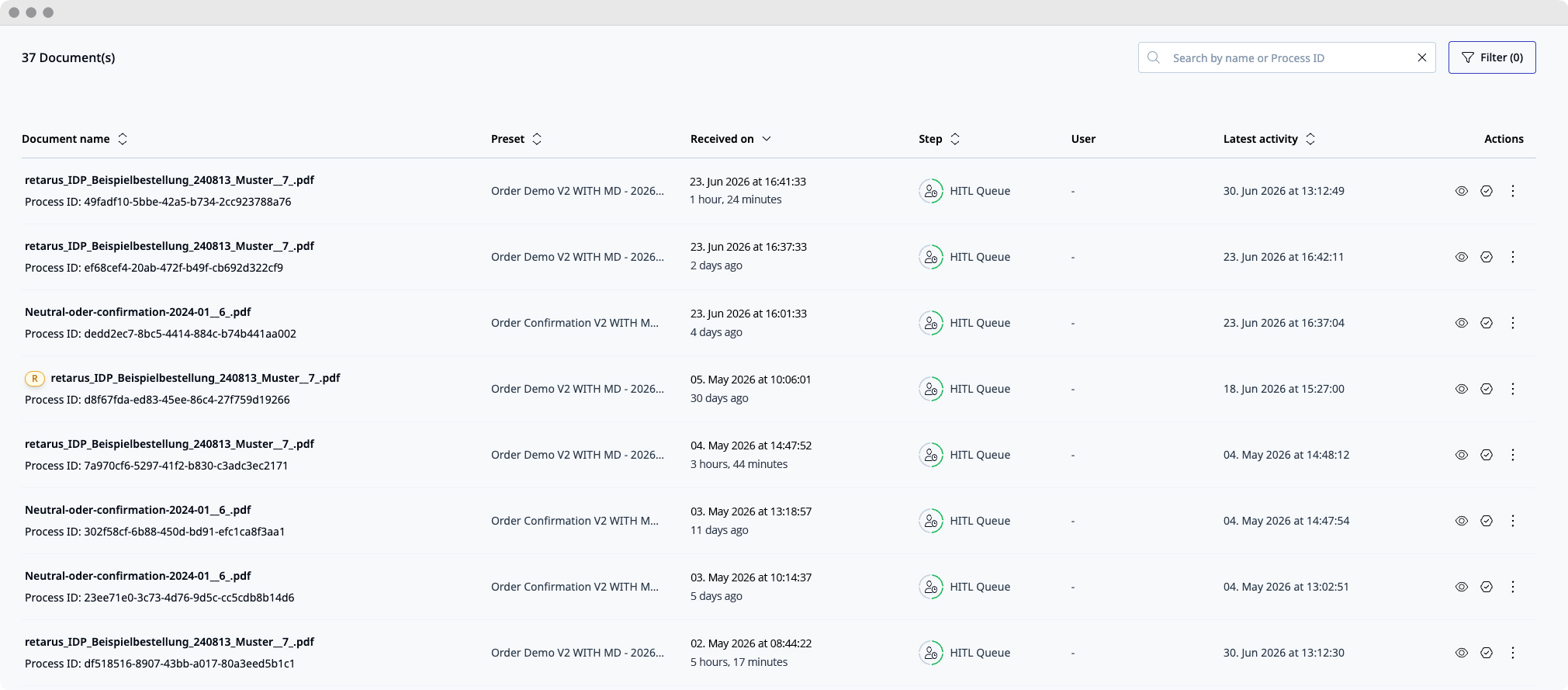
A new time indicator shows how long a document has been waiting for manual validation. This allows teams to identify long-pending documents more easily and prioritize them accordingly.
Get an Overview of Pending Validations
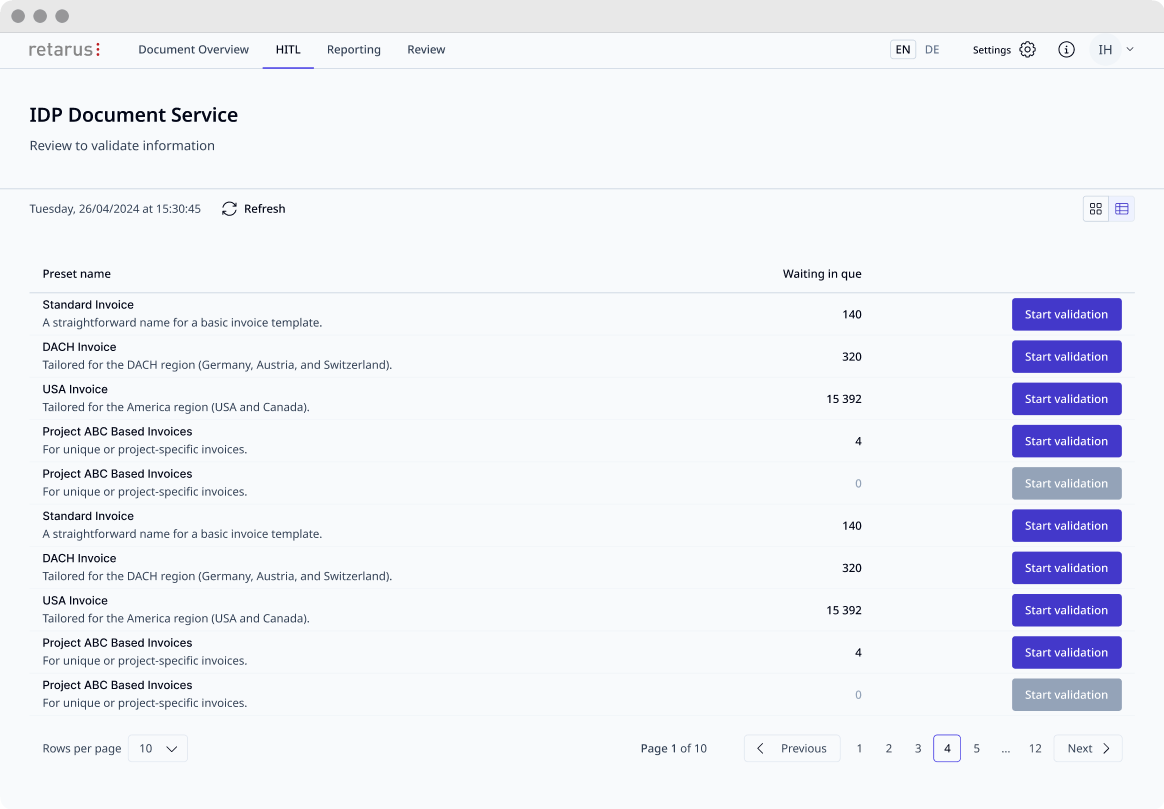
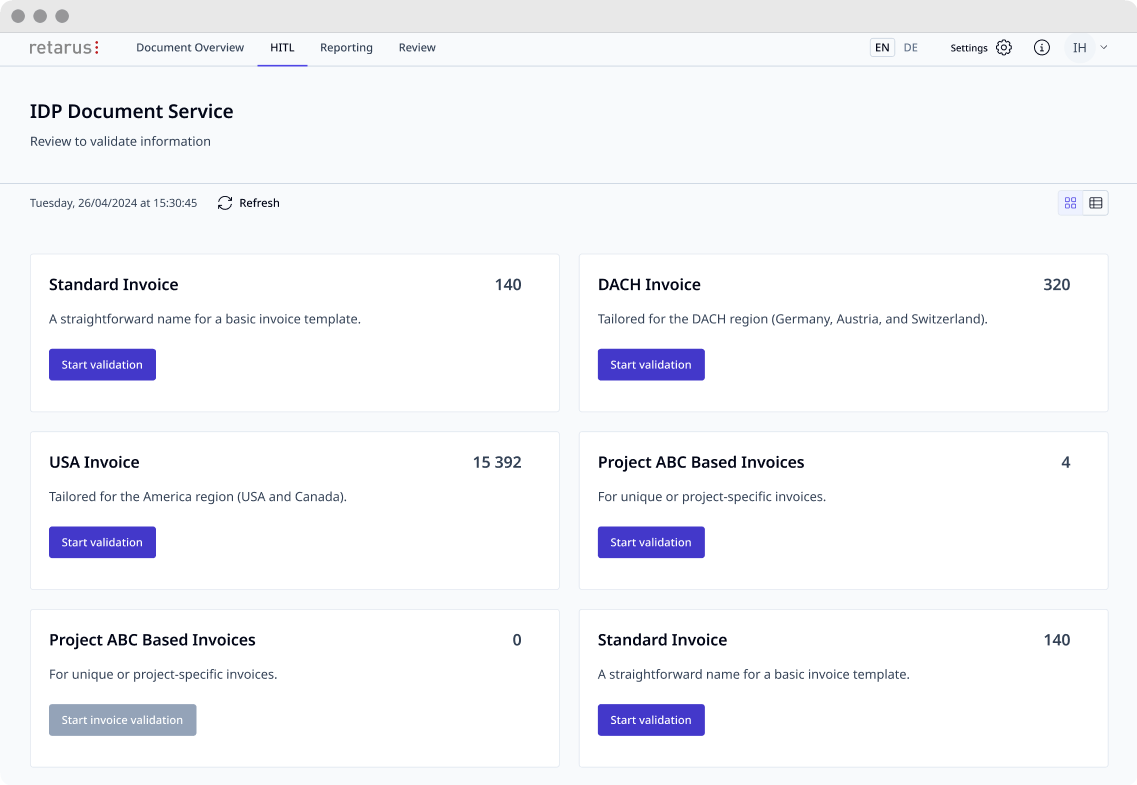
A new list view provides a compact overview of all presets and the number of open documents awaiting validation within each one. Users can start processing directly from this overview without switching between different views.
Benefits
- Quickly identify documents that have been waiting longer
- Centrally monitor all pending validations
- Start processing directly from the overview
- Manage manual validations in a more structured way
Targeted Improvements with Immediate Impact
The new Retarus IDP features provide greater transparency into automation performance, simplify document assignment and retrieval, and offer a clearer overview of pending validations. As a result, teams can find relevant information faster and manage their workloads more effectively. Whether processing invoices, purchase orders, order confirmations, or other business documents, the reduced effort required for searching, filtering, and navigation streamlines daily operations and shortens processing and turnaround times. For example, accounts payable teams



Submit a comment